
Once logged in, you will be automatically directed to the "Dashboard" page (or you can click "Dashboard" on the top right). Click "Settings" in the sub-menu of "User Profile" on the top right to visit the settings page.
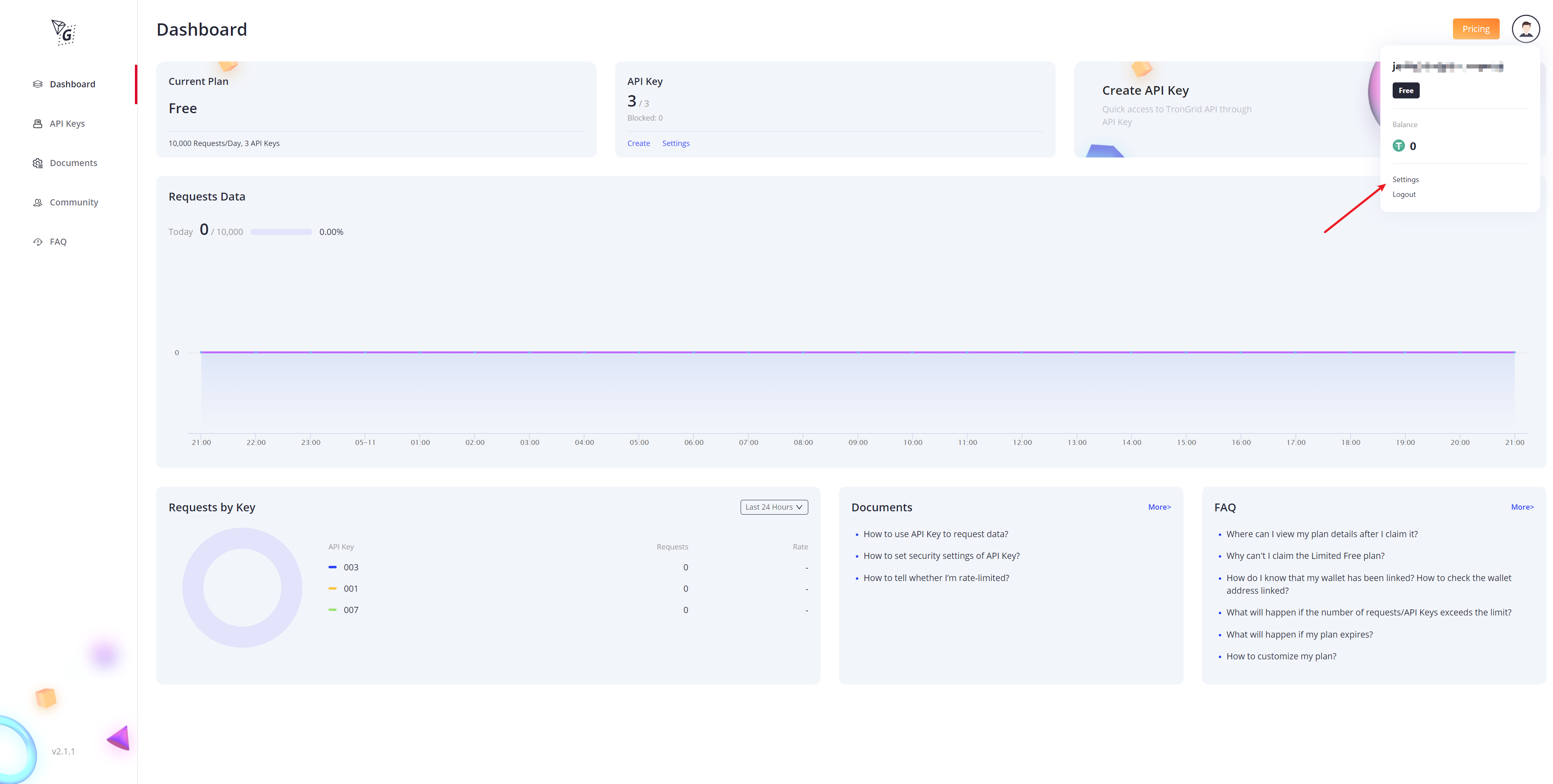
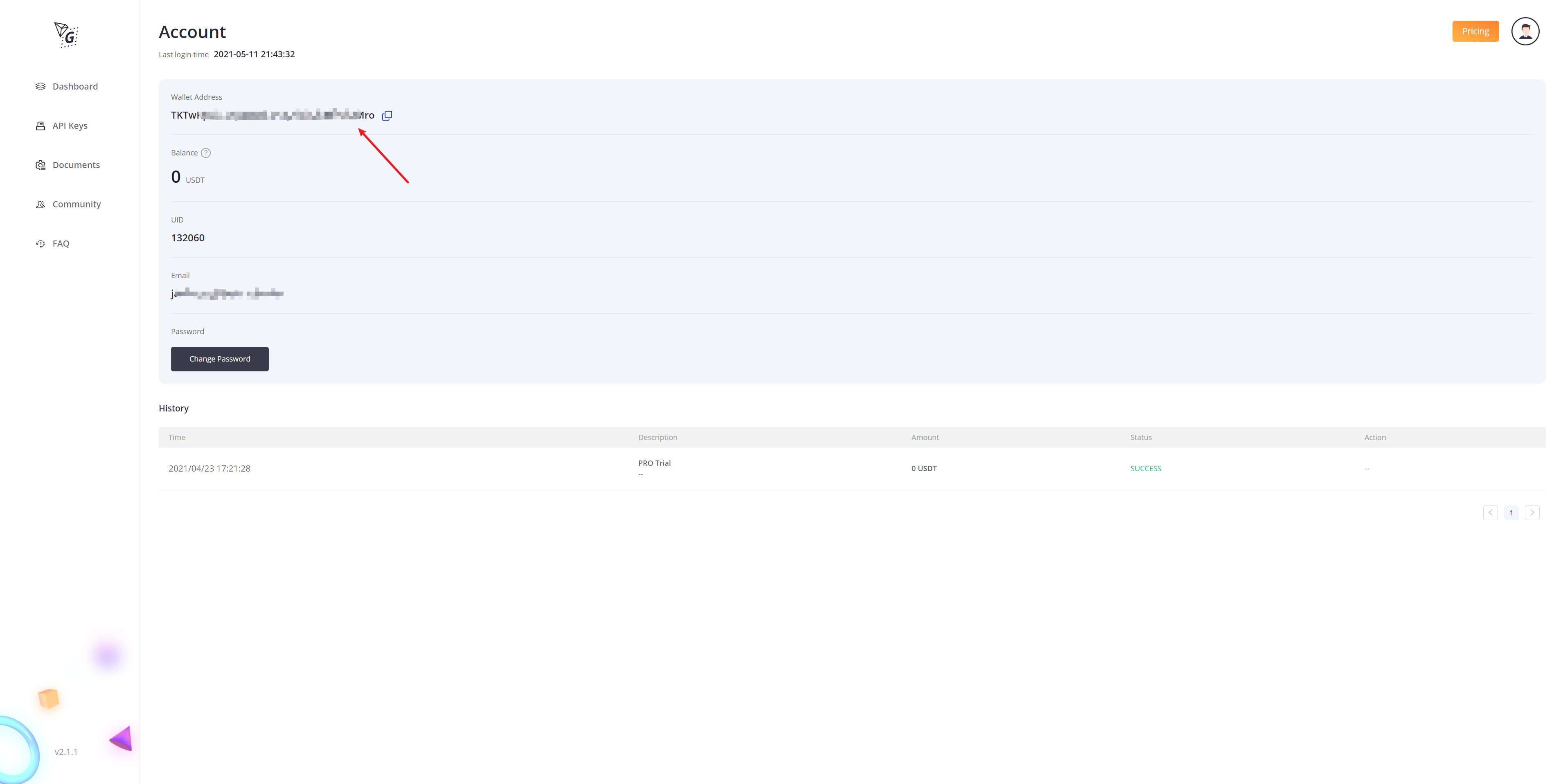
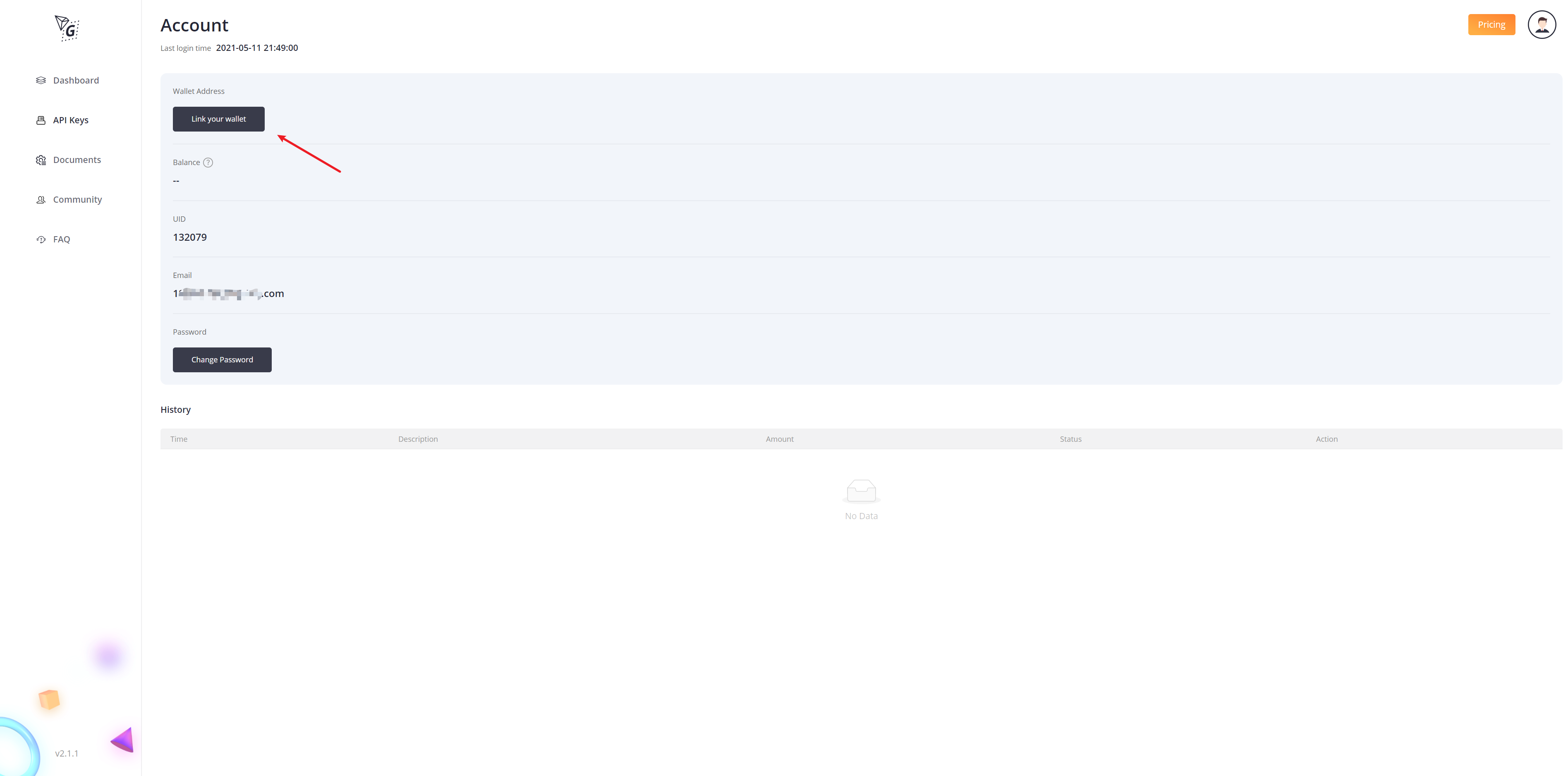
On this page, find the section for "Wallet Address":
- If you see the address and the balance of your linked wallet, then your wallet has been linked successfully ;
- If you see "Link Your Wallet" button, then you haven't linked or have failed to link the wallet ;
Comments
0 comments
Article is closed for comments.